HiMockup / Use cases
Free App Store screenshot generator
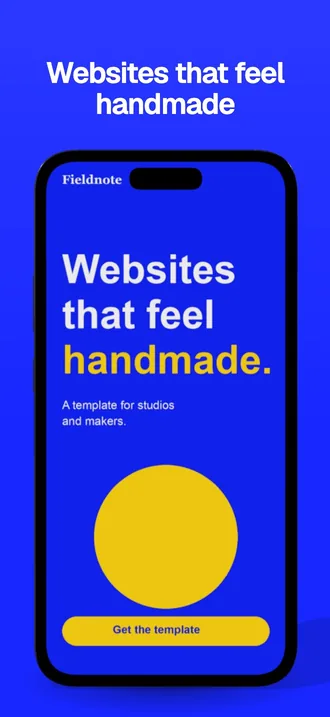
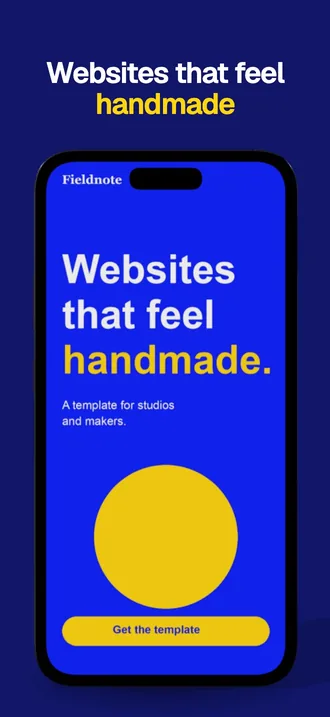
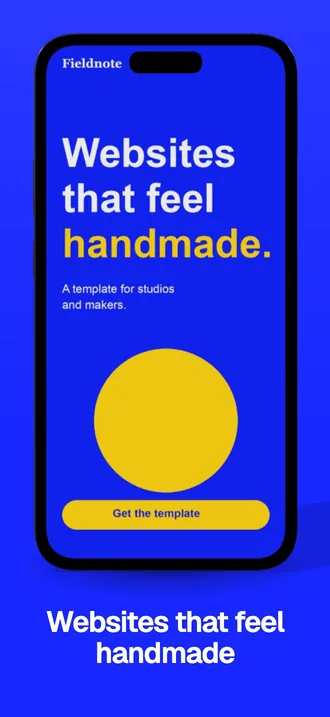
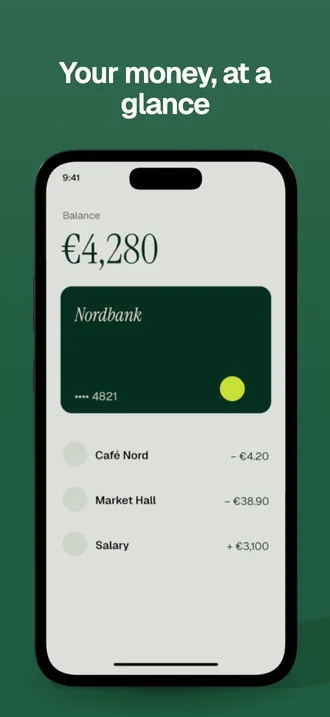
Drop in your app screens, write a short headline for each, and HiMockup builds the whole store set: your screens on a real phone, your headline above or below, in six styles and in the colours of your brand. You download the exact App Store and Google Play sizes as one ZIP.
Headlines work in any language. Japanese, Chinese and Korean wrap correctly, and Arabic and Hebrew run right to left.
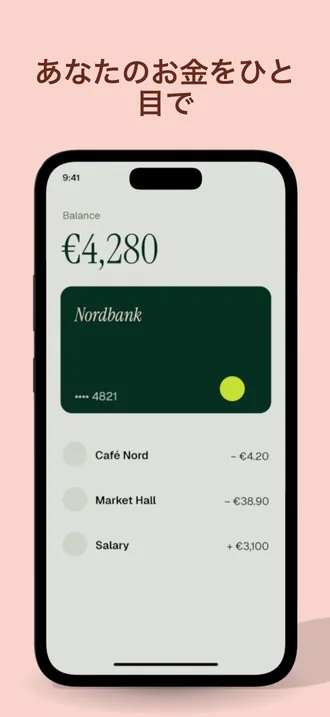
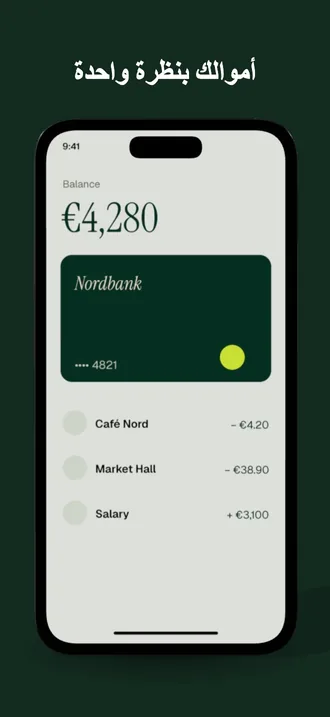
 Café: phone in handCafé
 Phone in hand over plywoodOak
 Phone in hand by a bright windowHome
 Phone in hand, green sofaChroma
 Phone in hand on a street at duskHome
 Phone on a windowsillOak
 Phone on a café tableCafé
 Phone on marble, midday sunSunlit
How it works
- Drop in up to 10 portrait screenshots of your app. HiMockup reads the brand colours from them.
- Write a headline for each screen and pick one of six styles: solid, gradient, soft, bold, split or text at the bottom.
- Change the background, text and accent colours if you like, or keep the colours from your brand.
- Download one ZIP with the App Store set (1320 × 2868 px) and the Google Play set (1080 × 1920 px), as JPG files ready to upload.
Sizes in the download
| Store | Size | In the ZIP |
|---|---|---|
| App Store, iPhone 6.9" | 1320 × 2868 px, portrait | Up to 10 screenshots, JPG. Apple scales this size down for smaller iPhones. |
| Google Play, phone | 1080 × 1920 px, portrait | The first 8 screenshots, JPG. Google Play needs at least 2. |
iPad sizes are not included yet.
Questions
Which sizes does the App Store need?
For iPhone, Apple asks for the 6.9" size (1320 × 2868 px in portrait) and scales it down for smaller iPhones. You can upload up to 10 screenshots per language. HiMockup exports exactly this size.
Can I make Google Play screenshots too?
Yes. The same ZIP has a Google Play folder with 1080 × 1920 px screenshots, the first 8 of your set. Google Play needs at least 2.
Can I write the headlines in my language?
Yes, in any language. Japanese, Chinese and Korean headlines wrap by character, and Arabic and Hebrew run right to left.
Can I use my brand colours?
Yes. HiMockup reads the main colours from your screens and offers them first. You can also pick any background, text and accent colour.
Can I try HiMockup for free?
Yes. Every scene is free to try without an account. Free exports are 1200 px with a watermark across the image. Pro (€12 a month or €96 a year) or Lifetime (€149 once) unlocks full resolution without watermark.
Can I use the mockups commercially?
Yes, with Pro or Lifetime: client work, your portfolio, shops, social media and ads.
Are my designs uploaded?
No. Everything is rendered in your browser, your files never leave your computer.
More guides
- A Placeit alternative for realistic mockups
- A Smartmockups alternative that works on its own
- A Pacdora alternative for packaging in real places
- Mockups without Photoshop
- Product mockups for Etsy and online shops
- App screenshots on real phones
- Mockups for brand identity presentations
- Present packaging designs in 3D
- Mockups for Instagram and social media
- Website mockups for portfolios and case studies
- Restaurant and café branding mockups
- iPhone and phone mockups
- MacBook and laptop mockups
- iPad and tablet mockups
- Monitor, TV and watch mockups
- Sign mockups
- Digital signage mockups
- Billboard and out-of-home mockups
- Poster mockups