HiMockup / Use cases
Make a mockup from your own photo
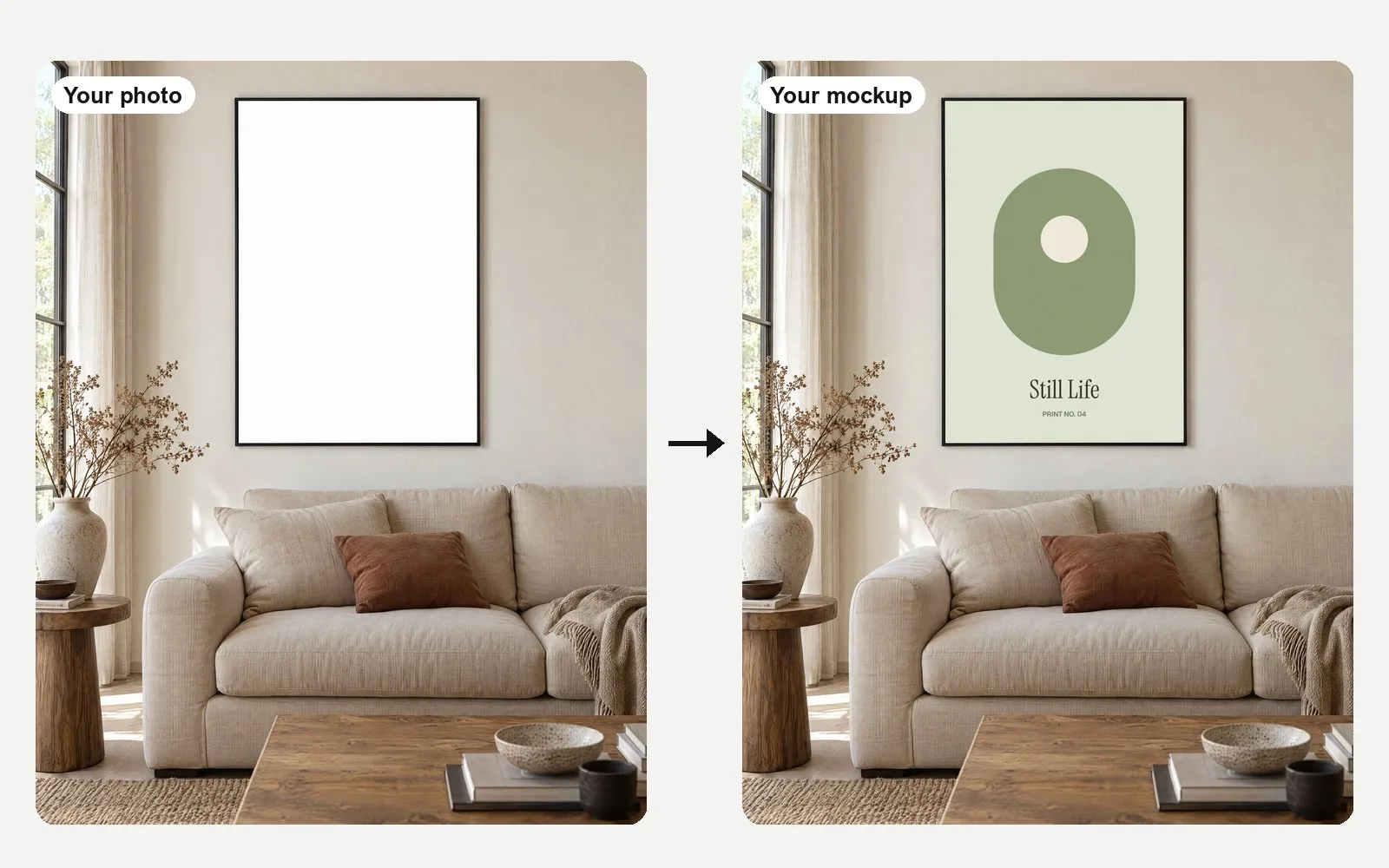
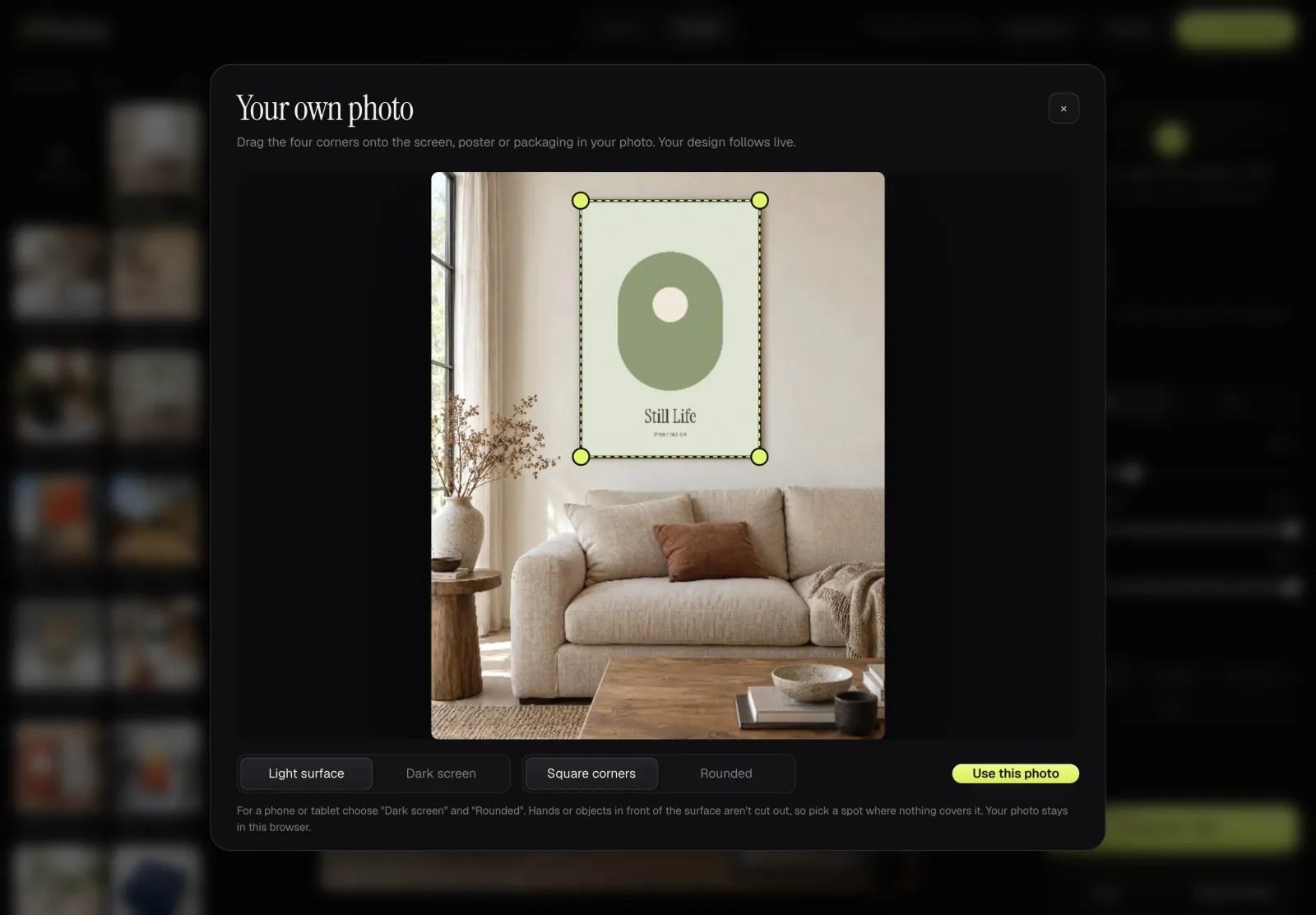
Have a photo of your shop window, your desk or a blank poster on a wall? HiMockup turns it into a mockup. Upload the photo, drag four corners onto the poster, screen or packaging, and your design follows live with the right perspective.
On a light surface the photo's own light and shadow fall on your design, so it looks printed, not pasted on. For a phone, tablet or monitor choose "Dark screen" and your design glows like a switched-on display. The photo stays in your browser.
 Café: laptop on marbleCafé
 Framed poster above a linen sofaAtelier
 Billboard on a concrete facade, golden hourUrban
 Café: phone in handCafé
 Magazine spread on oakEditorial
 Vertical screen in an airport terminalTerminal
 Menu card in hand, candlelit dinnerCafé
 Bus shelter by dayUrban
How it works
- Open the editor and click "Your photo". Choose a JPG, PNG or WebP photo from your computer or phone.
- Drag the four corners onto the surface: a poster, a screen, a sign, a box. The preview updates while you drag.
- Pick "Light surface" for paper and walls or "Dark screen" for displays, and "Rounded" corners for phones and tablets.
- Click "Use this photo". Drop in your design, then export it like any other scene. Your photo stays in the editor for next time.
Which setting for which photo
| Surface in your photo | Setting | Why |
|---|---|---|
| Poster, print, sign, box, wall | Light surface, square corners | Light and shadow of the photo fall on your design, like ink on paper. |
| Phone or tablet screen | Dark screen, rounded corners | The design glows like a display and the corners follow the rounded screen. |
| Laptop, monitor or TV | Dark screen, square corners | The design glows like a display that is switched on. |
Hands or objects in front of the surface are not cut out, so choose a spot where nothing covers it.
Questions
Can I use a photo from my phone?
Yes. Any JPG, PNG or WebP works. iPhone photos in HEIC open in browsers that can read HEIC, such as Safari; in other browsers, save the photo as JPG first.
Is my photo uploaded to a server?
No. The photo is read and drawn in your browser and saved only there. Nobody else sees it.
Does it work on a curved surface, like a can or a bottle?
The own-photo tool places your design on a flat surface with four corners. For cans, bottles, pouches and boxes, use the 3D products instead: your label wraps around the real shape.
Can I change the corners later?
Yes. Select your photo in the editor and click "Adjust corners" to move them again.
Can I try HiMockup for free?
Yes. Every scene is free to try without an account. Free exports are 1200 px with a watermark across the image. Pro (€12 a month or €96 a year) or Lifetime (€149 once) unlocks full resolution without watermark.
Can I use the mockups commercially?
Yes, with Pro or Lifetime: client work, your portfolio, shops, social media and ads.
Are my designs uploaded?
No. Everything is rendered in your browser, your files never leave your computer.
More guides
- A Placeit alternative for realistic mockups
- A Smartmockups alternative that works on its own
- Pacdora alternative: 3D packaging mockups in real scenes
- Mockups without Photoshop
- AI mockups vs real mockups: which to use
- The best mockup generators in 2026, compared
- Free mockup generator, right in your browser
- What is a mockup? Meaning and examples
- Product mockups for Etsy and online shops
- App screenshots on real phones
- Free App Store screenshot generator
- Mockups for brand identity presentations
- Present packaging designs in 3D
- Mockups for Instagram and social media
- Website mockups for portfolios and case studies
- Restaurant and café branding mockups
- iPhone and phone mockups
- MacBook and laptop mockups
- iPad and tablet mockups
- Monitor, TV and watch mockups
- Sign mockups
- Digital signage mockups
- Billboard and out-of-home mockups
- Poster mockups